

As a supplier of ThinkPad X230 laptops, I often encounter inquiries from customers regarding the default storage type of this popular model. In this blog post, I'll delve into the details of the ThinkPad X230's default storage configuration, compare it with other models in the ThinkPad series, and offer insights for potential buyers.
Default Storage Type of ThinkPad X230
The ThinkPad X230, released by Lenovo in 2012, came with a Hard Disk Drive (HDD) as the default storage option. At that time, HDDs were the standard choice for most laptops due to their relatively large storage capacities at an affordable price. The default HDD in the ThinkPad X230 typically had a capacity of 320GB or 500GB, spinning at 5400 RPM.
Hard Disk Drives work by using magnetic disks to store data. A read - write head moves across the spinning disks to access and modify data. This mechanical operation makes HDDs slower compared to Solid - State Drives (SSDs), especially when it comes to boot times and application loading speeds. However, they offer a cost - effective solution for users who need large amounts of storage space for data such as documents, photos, and videos.
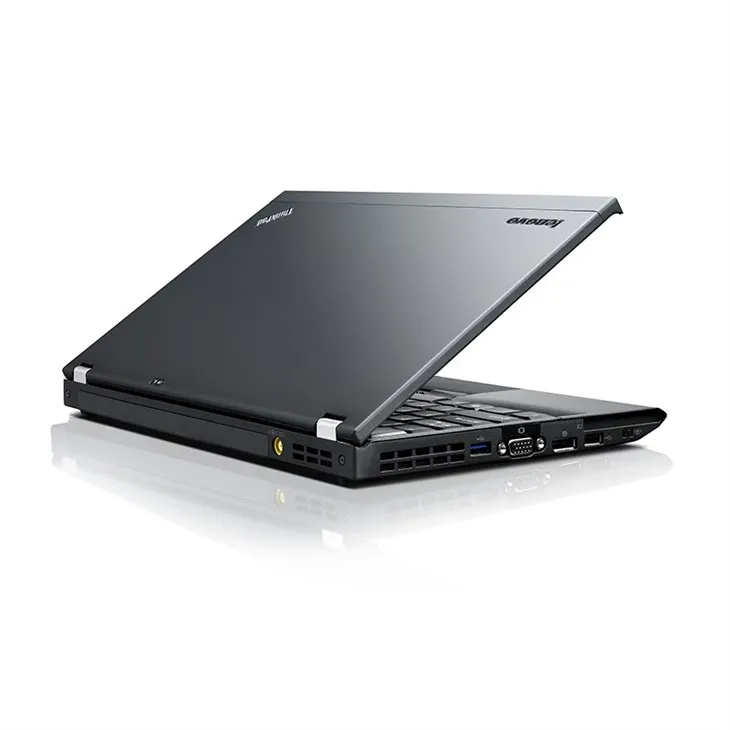

Comparison with Other ThinkPad Models
Let's compare the ThinkPad X230 with other models in the ThinkPad X series, like the ThinkPad X201 Laptop and the ThinkPad X220 Laptop.
The ThinkPad X201, which was released earlier, also had an HDD as the default storage. It was part of Lenovo's effort to provide reliable and cost - effective laptops for business users. The X201 usually came with smaller capacity HDDs, often in the range of 160GB - 320GB, reflecting the storage needs and technology available at the time of its release.
The ThinkPad X220, a predecessor to the X230, also featured an HDD as the standard storage. Similar to the X230, it offered options for different capacities, with the 320GB and 500GB being common choices. The X220 started to see a growing interest in SSD upgrades, as the technology was becoming more accessible and users were beginning to recognize the performance benefits.
Why HDDs Were the Default
There were several reasons why Lenovo chose HDDs as the default storage for the ThinkPad X230. Firstly, cost was a major factor. HDDs were significantly cheaper per gigabyte than SSDs at the time of the X230's release. This made the laptop more affordable for a wider range of customers, especially businesses that needed to purchase multiple units.
Secondly, storage capacity requirements played a role. Many business users and consumers needed large amounts of storage to store work files, media, and software. HDDs could offer capacities of up to 1TB or more, which was more than sufficient for most users' needs.
Finally, the technology infrastructure and compatibility also influenced the decision. Many software applications and operating systems were optimized for HDDs, and businesses had established data management systems that were built around HDD - based storage.
The Rise of SSDs and Upgrading Options
Over time, the popularity of SSDs has grown exponentially. Solid - State Drives use flash memory to store data, which means there are no moving parts. This results in much faster read and write speeds, reduced power consumption, and increased durability.
For users of the ThinkPad X230, upgrading to an SSD is a popular option. It can transform the performance of the laptop, reducing boot times from minutes to seconds and making applications launch almost instantaneously. The ThinkPad X230 has a standard 2.5 - inch drive bay, which makes it relatively easy to replace the HDD with an SSD. Additionally, some X230 models also support a mSATA SSD in an internal slot, allowing users to add an extra storage device without removing the existing HDD.
Who Should Consider a ThinkPad X230 with HDD
Despite the advantages of SSDs, there are still users who might prefer a ThinkPad X230 with an HDD. For example, budget - conscious users who need a reliable laptop for basic tasks such as word processing, web browsing, and email can benefit from the lower cost of an HDD - equipped X230.
Businesses that have strict data security policies may also choose HDDs. Since HDDs are more difficult to clone compared to SSDs, they can offer an additional layer of security for sensitive data. Moreover, users who need large amounts of storage for archival purposes, such as photographers or video editors, may find the large - capacity HDDs more suitable.
Who Should Upgrade to SSD
On the other hand, users who demand high - performance computing should consider upgrading to an SSD. Gamers, graphic designers, and professionals who work with resource - intensive applications will notice a significant improvement in performance. Additionally, users who are constantly on the go and rely on quick access to their data can benefit from the faster boot and application loading times of an SSD.
The Current Market for ThinkPad X230
In the current used and refurbished laptop market, the ThinkPad X230 remains a popular choice. Its solid build quality, reliable performance, and upgradeability make it an attractive option for both individual and business buyers. Whether you're looking for a budget - friendly laptop with an HDD or a performance - enhanced machine with an SSD upgrade, the ThinkPad X230 can meet your needs. You can find a wide selection of ThinkPad X230 Laptops in the market, with different configurations and storage options.
Conclusion
In conclusion, the ThinkPad X230 came with an HDD as the default storage type, a decision influenced by cost, storage capacity requirements, and technology compatibility at the time of its release. However, with the evolution of storage technology, upgrading to an SSD has become a viable and popular option for users looking to boost performance.
Whether you're a small business owner, a student, or a professional, the ThinkPad X230 offers a balance of affordability, reliability, and upgradeability. If you're interested in purchasing a ThinkPad X230, we can provide you with detailed information about the storage options available and help you choose the configuration that best suits your needs. Don't hesitate to reach out for more information and to start a procurement discussion.
References
- Lenovo product documentation for ThinkPad X201, X220, and X230
- Industry reports on the development of HDD and SSD technologies
- User reviews and performance benchmarks of ThinkPad X230 laptops